Your Git Log Is Your Timesheet.
Connect GitHub. Pick commits. Send invoices.
Stop tracking hours...
Your commit history already did it for you.
New Invoice — Select Commits
① Repositories
——
② Commits
——
③ Final Review
Unbilled Commits · core-api
✓
8f3a21d
feat(auth): JWT refresh
✓
9b1c42e
fix(db): pool timeout
1d9e33f
docs: update readme
0.50h
✓
5c8b91a
refactor(api): optimize
3 commits selected · 5.75 hours
Total: $575.00
Supported Repositories
github.com
gitlab.com
soon™
From commit to invoice
in three steps.
BillMyCommits connects to your GitHub repos, analyzes your commit history, and lets you turn selected commits into professional invoices — no spreadsheets, no guesswork.
-
Sign in with GitHub and sync your repositories
-
Select commits and assign hours per client
-
Generate and send invoices with one click
$
Invoice Summary
Repositories
core-api
4 commits
client-portal
2 commits
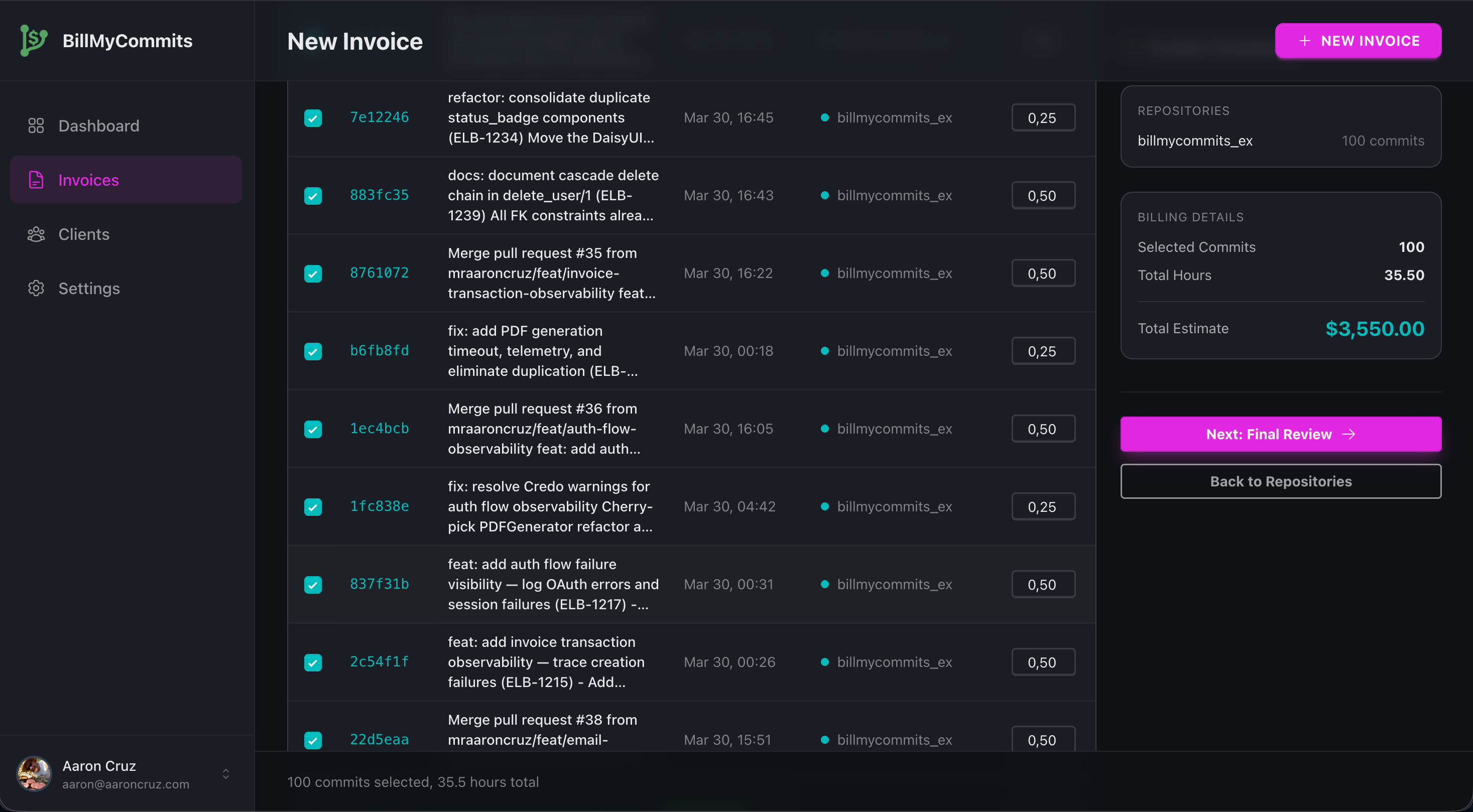
Billing Details
Selected Commits
6
Total Hours
17.00
Hourly Rate
$100.00
Total Estimate
$1,700.00
Next: Final Review →
See It In Action
From commits to invoices in four steps
A clean, focused interface that gets out of your way so you can bill faster.
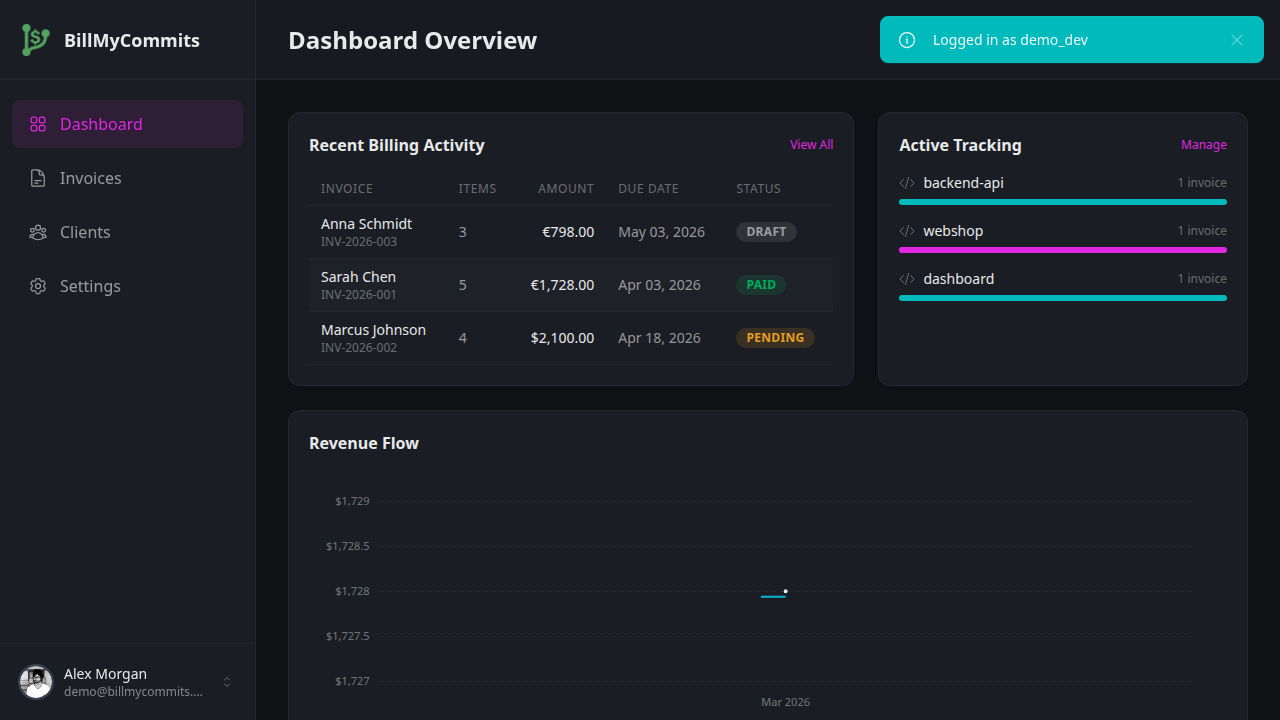
1
Track your work at a glance
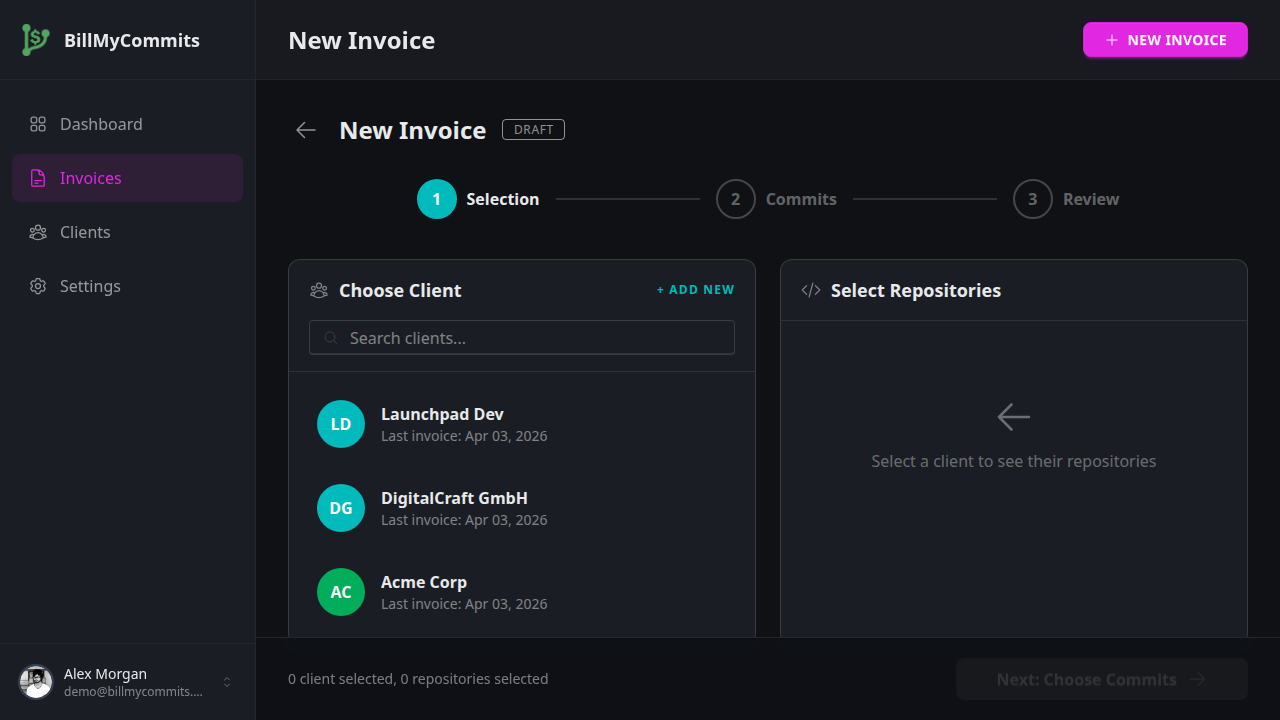
2
Select commits, set your rate
3
Review and finalize your invoice
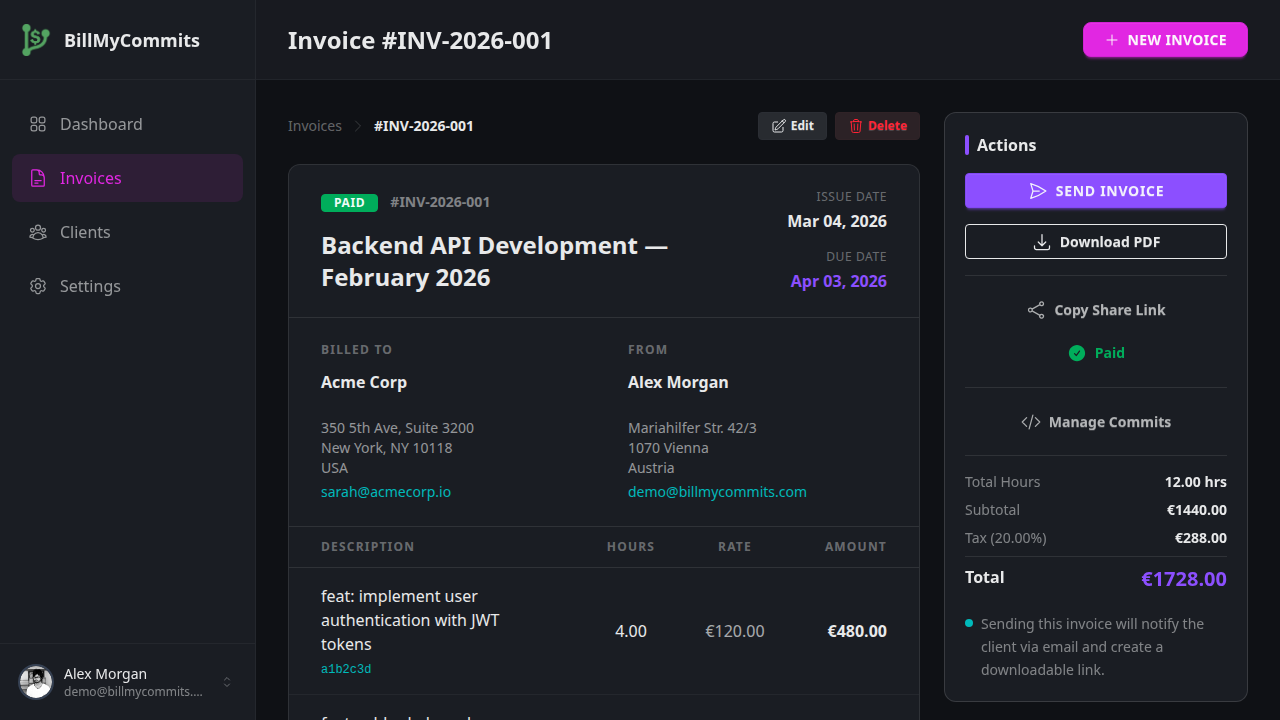
4
Send a professional invoice
Pricing
Simple, transparent pricing
Start for free during our beta period. No credit card required.
Free
During Beta
$0
/mo
- ✓ Unlimited invoices
- ✓ PDF export
- ✓ Client management
- ✓ Unlimited repositories
- ✓ Auto commit categorization
Ready to turn commits into invoices?
Stop tracking hours manually. Let your Git history do the work.